
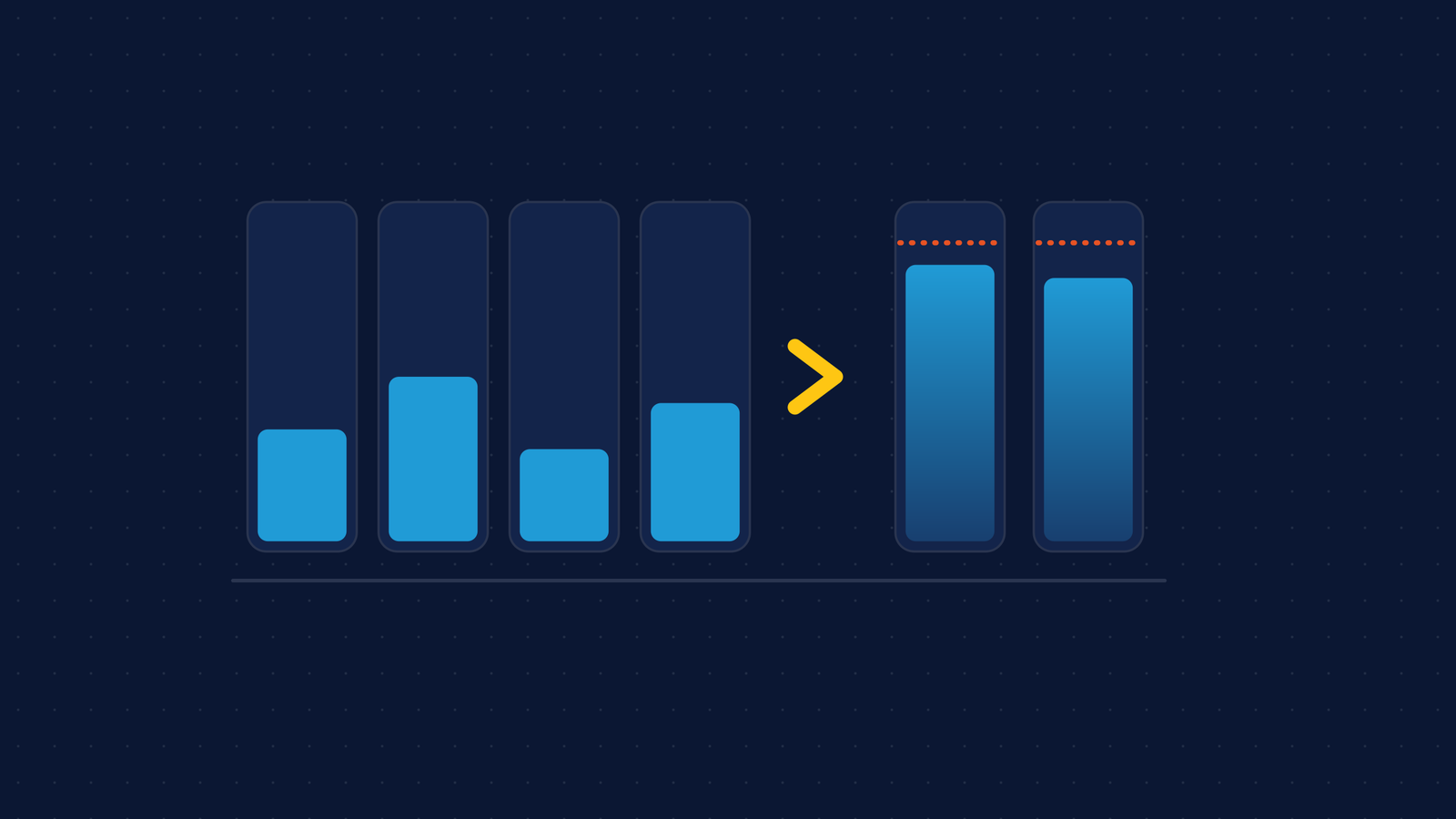
Start with the bill, not the cluster. Give every line an owner, a service or a team. Then compare what each workload requests with its historical peak, not its average, because requests are what you pay for. Then decide how hard node consolidation is allowed to work, because it saves money by moving your pods. That is the order we follow in cloud and cluster cost audits, including the one on a fintech SaaS platform I’ll use below.
One limit first. The case page for that engagement lists cost audits and a per-service cost view, and no savings figure. This post won’t invent one. What the case does publish is the stack (AWS EKS with Karpenter), the audits, and a set of stability fixes that sit on the same dial as cost. Those are worth reading.
Who owns each line of the bill?
Before changing anything, attribute every line to a service or a team. A cost nobody owns is a cost nobody can cut safely, because you don’t know what depends on it. If you want it done for your own account, we sell a fixed-price Cloud Cost Review.
In that fintech platform, cost per service sits in the internal developer portal, next to the deploy status of the same service, and its figures come straight from the cloud billing API. The point of putting them there is not the chart. It’s that the engineer who changes a service sees what it costs in the place where they already look.
Do the same exercise on a spreadsheet if you have no portal. Export last month’s bill grouped by service and by tag, and count the lines with no owner. Keep those in a row called “unattributed”, never rounded into “other”. If that row is large, stop optimizing and fix tagging first. Everything after this step assumes you know who to ask.
How do you right-size from historical peaks?
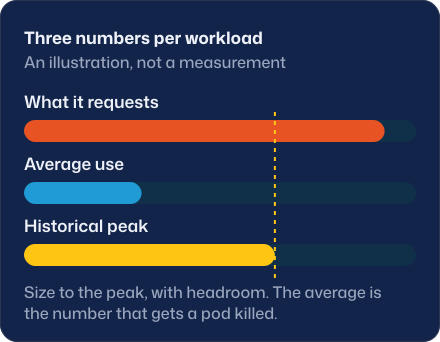
Because of how Kubernetes schedules. The scheduler places a pod by the sum of resource requests on a node. The Kubernetes documentation says that even when actual use on a node is very low, the scheduler still refuses a pod whose request doesn’t fit. Requests decide how many nodes you run, and nodes are the bill.
So the cheapest-looking fix, lowering requests to the average, is also the dangerous one. Memory limits are enforced by the kernel with out-of-memory kills, and the same page says a container that uses more than its memory limit may be terminated. The average is the number that gets a pod killed. Size to the historical maximum, plus headroom you chose on purpose.
Two details decide whether this works. The window has to include the worst event you have: a month-end report, a quarter close, a sale. And you aggregate by workload, not by pod name, because pod names change on every rollout and would hide the history. In Prometheus or a compatible store, with enough retention:
max by (namespace, container) (
  max_over_time(
    container_memory_working_set_bytes{container!=""}[90d]
  )
)
/
max by (namespace, container) (
  kube_pod_container_resource_requests{resource="memory"}
)
A ratio far below 1 is slack you are paying for. A ratio near 1 or above is a workload with no margin, whatever it costs. Read the list from the top, check the biggest ones with their owners, and change one workload at a time.
The shape of workload that this punishes is the spiky one. The fintech case lists a large-report out-of-memory failure that was diagnosed and fixed, and long report jobs that now drain gracefully. I’m not claiming that failure was a sizing mistake: the page doesn’t say. I’m saying report workloads are where an average lies to you.
What does Karpenter consolidation save, and what does it break?
Consolidation is Karpenter removing nodes to cut cost. Its documentation lists three cases: a node is empty, its workloads can run on other nodes, or it can be replaced by a cheaper variant. By default a NodePool uses WhenEmptyOrUnderutilized with consolidateAfter: 0s, which the docs describe as the choice when you want the lowest possible cost and accept the pod disruption it takes. WhenEmpty is the conservative end, and setting consolidateAfter to Never turns consolidation off for that NodePool.
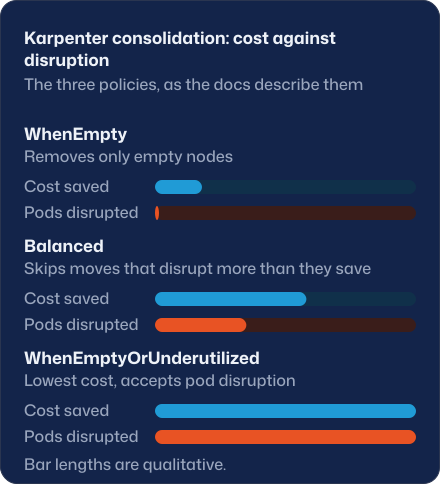
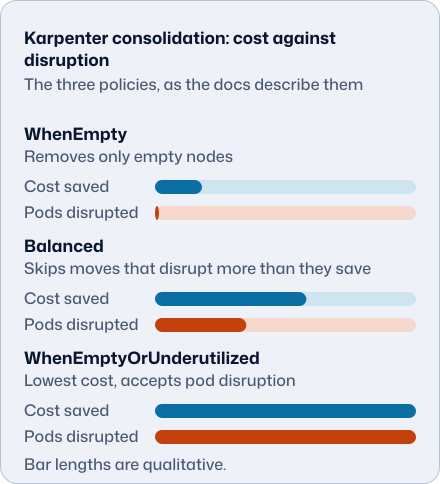
Savings and disruption come from the same mechanism, so you don’t get one without the other. The fintech case lists three fixes on exactly that dial. Node consolidation no longer recreates the log store about three times a day. Autoscaling no longer drops most report pods at once. Long report jobs drain gracefully. The page doesn’t say which Karpenter setting changed, and I won’t guess.
What I’d do on any cluster:
- Put stateful workloads and long jobs on their own NodePool with a conservative policy.
- Mark pods that must not move with the
karpenter.sh/do-not-disruptannotation. The docs say you can treat it as a PodDisruptionBudget for a single pod. - Set disruption budgets. If you define none, Karpenter defaults to one budget of 10% of nodes.
- After you enable consolidation, count how often each stateful pod is recreated per day. That number should be one you chose, not one you discovered.
What should you not expect?
A percentage. We don’t promise one before reading your bill, and a saving shows up on the invoice or it isn’t one, so that is where we measure it. Bills also move with usage, which is why a before-and-after on a single month proves little. Compare cost per unit of work, like cost per report or per active customer, over the same window.
Cost reviews are part of cloud consulting. Discovery is USD 7,000 for 1 to 4 weeks when the target is still open. CI/CD & IaC is USD 4,000 for 2 weeks when infrastructure has to be built or rebuilt in code. By the hour, a Senior engineer is USD 45 to 50 and a Lead or Architect USD 55 to 60. The pricing page has all of it, and Nearshore developer rates in 2026 explains how to budget hours.
The posts on Argo CD and Kargo and on Grafana versus Datadog cover two neighbours of this one: how releases reach the cluster, and what observability costs you.
What can you do in 30 minutes?
Pick your three largest workloads. Run the peak query above for each, write down the ratio and the owner, and export last month’s bill grouped by tag. The count of unowned lines and the ratios tell you where an audit would start.
Sources
- Karpenter, Disruption: consolidation policies,
consolidateAfter, NodePool disruption budgets and thedo-not-disruptannotation. Retrieved 2026-10-09 (sha256 75da76dc…). - Kubernetes, Resource Management for Pods and Containers: scheduling by requests and memory limits enforced by OOM kills. Retrieved 2026-10-09 (sha256 8eee4a66…).
- Our case: fintech release pipeline, with the cost audits, the cost-per-service view and the stability fixes quoted above.